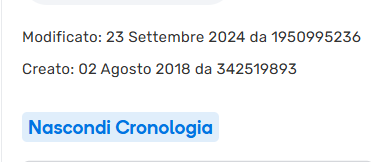
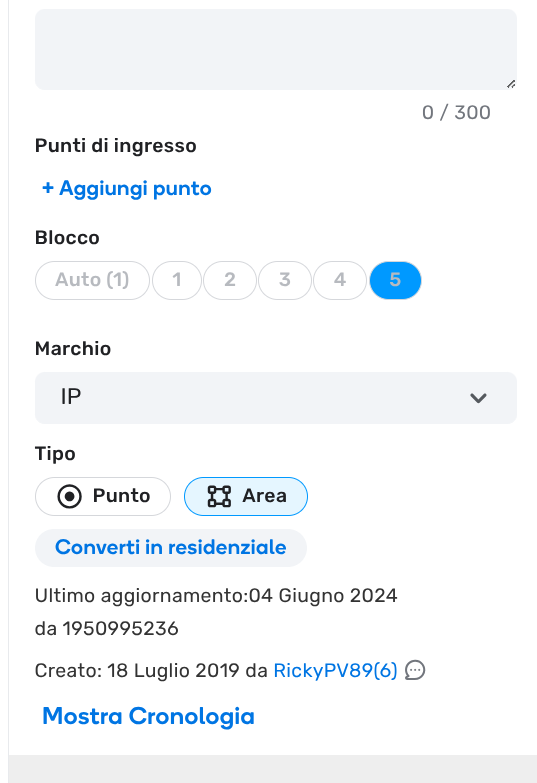
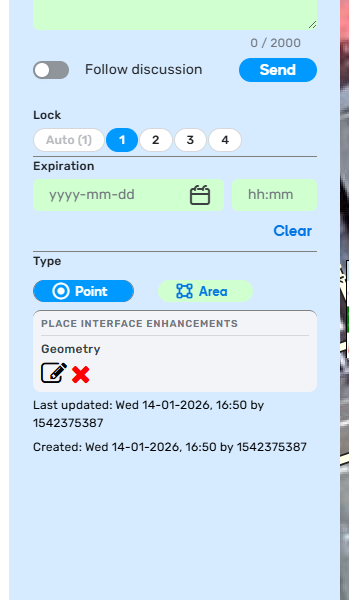
Username appearing as numbers only and unclickable to their profile

Is this a…:
Standard bug
Steps to reproduce this issue:
Usernames are once again appearing as numbers only after a certain number of edits and saves and can be fixed by a refresh of the page. I remember this used to be a bug but was fixed, seems like it’s back again. Tested under a scriptless environment.

Environment where the bug occurs…:
ROW
Permalink:
https://waze.com/en-GB/editor?env=row&lat=5.52929&lon=100.43066&zoomLevel=18&venues=65798199.658178601.3754845
Browser name and version:
Vivaldi 7.0.3495.29 (Stable channel) (32-bit)
Are you using scripts? Please detail which ones.:
None

1 Like

Hi, thanks for reporting. I don’t see any selected venue when I open the link you’ve shared. Maybe it’s id was changed…

It’s actually not specific to any venue, any segment or place or even map notes will have this issue. PL was put simply because it was required :stuck_out_tongue:

2 Likes

Every now and then I can reproduce this bug but it seems random and not tied to a specific location, as mentioned by dinohoo.


https://waze.com/it/editor?env=row&lat=44.41787&lon=8.87815&zoomLevel=19&venues=5833148.58200410.15994919
I use the following scripts: Draw Borders & GS Italy, Junction Angle Info, Place Interface Enhancements, Route Speeds (MapOMatic fork), Unlock Requests.

Is it possible to send some additional logs or files to help you resolve the bug?

It happened again with Tampermonkey disabled using Chrome 133.0.6943.27


https://waze.com/it/editor?env=row&lat=44.43376&lon=8.84596&zoomLevel=19&venues=5767612.58003803.37991029

Hello @MichiGigaByte360 @dinohoo

Thank you for your input. I have been able to reproduce it once only script-less, so we could role out scripts here I suppose. These un-clickable numbers are external IDs, 1950995236, for instance, is assigned to matching_feed (most commonly seen pseudo-user in edits’ history).

The bottom line is that, this is of no use to editors who want to check profiles being displayed as un-clickable numbers. I will log an internal ticket to further investigate it.

Kind regards,
Olesya

3 Likes

but is it possible that it takes this long to solve this silly problem?!?

It depends on the complexity, workload, and priorities that they have

2 Likes

Hello @Paliano,

Unfortunately there are no updates on this bug yet. I have found new examples and added them to the internal ticket, so hopefully we can hear back from the team soon. I will keep you posted.

All the best,
Olesya

1 Like

Another example, reloading the page the username came back https://waze.com/it/editor?env=row&lat=44.34740&lon=9.37917&zoomLevel=19&venues=6160827.61477203.18682089


Google Chrome 142.0.7444.181

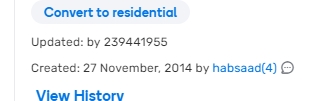
And it is back, shown here by randomly clicking on a MP in this case. I did not disable scripts seeing that scripts do not play a part.

1 Like

Hi @dinohoo,
Could you please check if the attached link is correct?

Also, are you referring to a Map Problem or a Map Comment in your example?

When I open the link, I don’t see any related items.

Thank you in advance!
Nataliia

1 Like

Ahh shucks my bad must have removed it on muscle memory as the MC (yes it’s a Map Comment not Problem) is no longer relevant. I am quite a stickler for having a clean map :sweat_smile:

I’ll provide more other examples that I come across.
1 Like

Thank you in advance!

Nataliia

1 Like